

Runs
In the admin: Workflows › a Workflow › Settings › Runs
Runs lists every run of the workflow, newest first: test runs and production runs, whatever started them. It's where you find out what a workflow did, and why one failed.
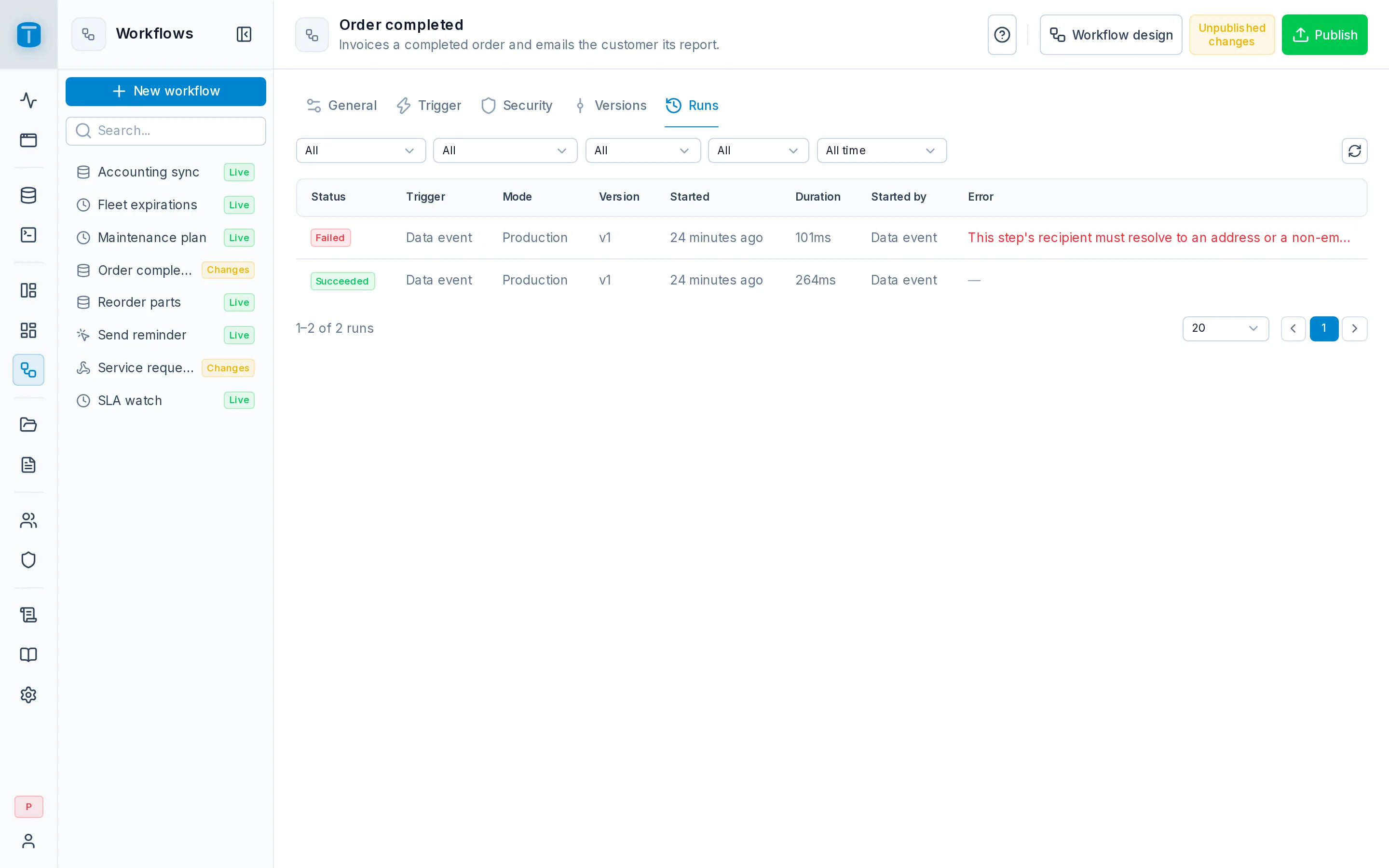
The list
| Column | |
|---|---|
| Status | The run's outcome, below. A warning icon when the run handled an error through an Error output |
| Trigger | Manual, Schedule, Webhook or Data event |
| Mode | Production, or Test for a test run from the editor |
| Version | The version it ran, or Draft for a test run |
| Started | How long ago; the exact time in a tooltip |
| Duration | From start to end |
| Started by | The user, an API token, the schedule, a webhook (or a public webhook), a data event, another workflow, or the system |
| Error | The first line of the run's error |
The toolbar filters by status, trigger, mode, version and period (Last 24 hours, Last 7 days, Last 30 days, All time), with a refresh button. The pager is at the foot. While a run on the page is in progress, the list refreshes itself every few seconds.
A run is only listed while the retention keeps it.
Statuses
| Status | |
|---|---|
| Running | in progress |
| Succeeded | reached its end, a Finish with result or an empty output. It may have handled errors on the way |
| Failed | a step failed with no Error output connected, a Finish with error, a limit reached, or a trigger that couldn't start the run |
| Cancelled | an administrator canceled it, or a synchronous webhook timed out with Request cancellation |
| Interrupted | it passed its maximum duration (workflows.max_run_duration_ms, 15 minutes by default), or TotalBase stopped while it ran |
A run never changes from failed, canceled or interrupted to succeeded, and is never resumed or retried. There's no retry button: to try again, start a new run.
A run's detail
Clicking a run opens it beside the list:
- Its summary: status, Handled errors when it followed an Error output, Summary history when its steps kept no data, the start, end, duration, and its result or error;
- Audit entries: the audit log filtered to this run, every record it wrote or tried to write;
- Cancel run, while it's running;
- Its steps, in the order they ran, each with its status and the output it took. Steps on a branch the run didn't take aren't listed.
A step opens to show its type, start and end, the Output it took, and its Input (the configuration with every {{…}} replaced by the value used), Result and Error. Back to run returns. The input is left out where it would only repeat the result, such as a successful Create records.
A run kept with SUMMARY history says so: its steps record what ran and how it ended, but not their inputs and results, so they don't open. Set DETAILED in General before running it to see them.
Stored values are redacted: anything under a key such as password, token or authorization reads [REDACTED], and values over the history size limit are replaced by a note of their size. The editor's Run modal, right after a run, shows them in full.
Cancelling a run
Cancel run asks a running run to stop. The step in progress finishes (an HTTP request in progress is aborted), no further step starts, and the run ends Canceled. Nothing it already did is undone.
Only a run that's actually executing can be canceled. One that finished, or that was left running by a server that stopped, can't; the latter is marked Interrupted by TotalBase's hourly maintenance.
Runs that didn't start
A database event or a schedule that should have started a run but couldn't appears here as a failed run with a single failed Start step, saying why:
- a loop, or a chain of workflows longer than
workflows.max_chain_depth; - an Execute as user who is missing or inactive;
- a row too large to pass to the workflow;
- a scheduled occurrence skipped because the previous one was still running, which names the run in progress.
All but the last count toward auto-disable.