

Users and Roles
Everyone and everything that acts in TotalBase is a user, whether it's a person or a program. A user holds roles, and roles carry the permissions. There is no separate kind of administrator account and no standalone API key: an administrator is a user who holds the Administrators role, and a program uses a token that belongs to a user.
Users
A user is a row of totalbase.users, identified by email. Users sign in with a password, with Google, GitHub or an OIDC provider, or by accepting an invitation. A user can be deactivated: they can't sign in, and all their sessions end immediately.
The users table is yours to extend. Add columns, foreign keys and constraints, and TotalBase keeps them through every upgrade. Acme adds the branch each person works at:
ALTER TABLE totalbase.users
  ADD COLUMN branch uuid REFERENCES public.branches (id);
The admin shows such a column as Additional data on each user's profile. More importantly, permissions can refer to it as $USER.branch, so "a dispatcher sees their own branch's orders" becomes one row filter: { "branch": { "_eq": "$USER.branch" } }. See Row filters.
Roles
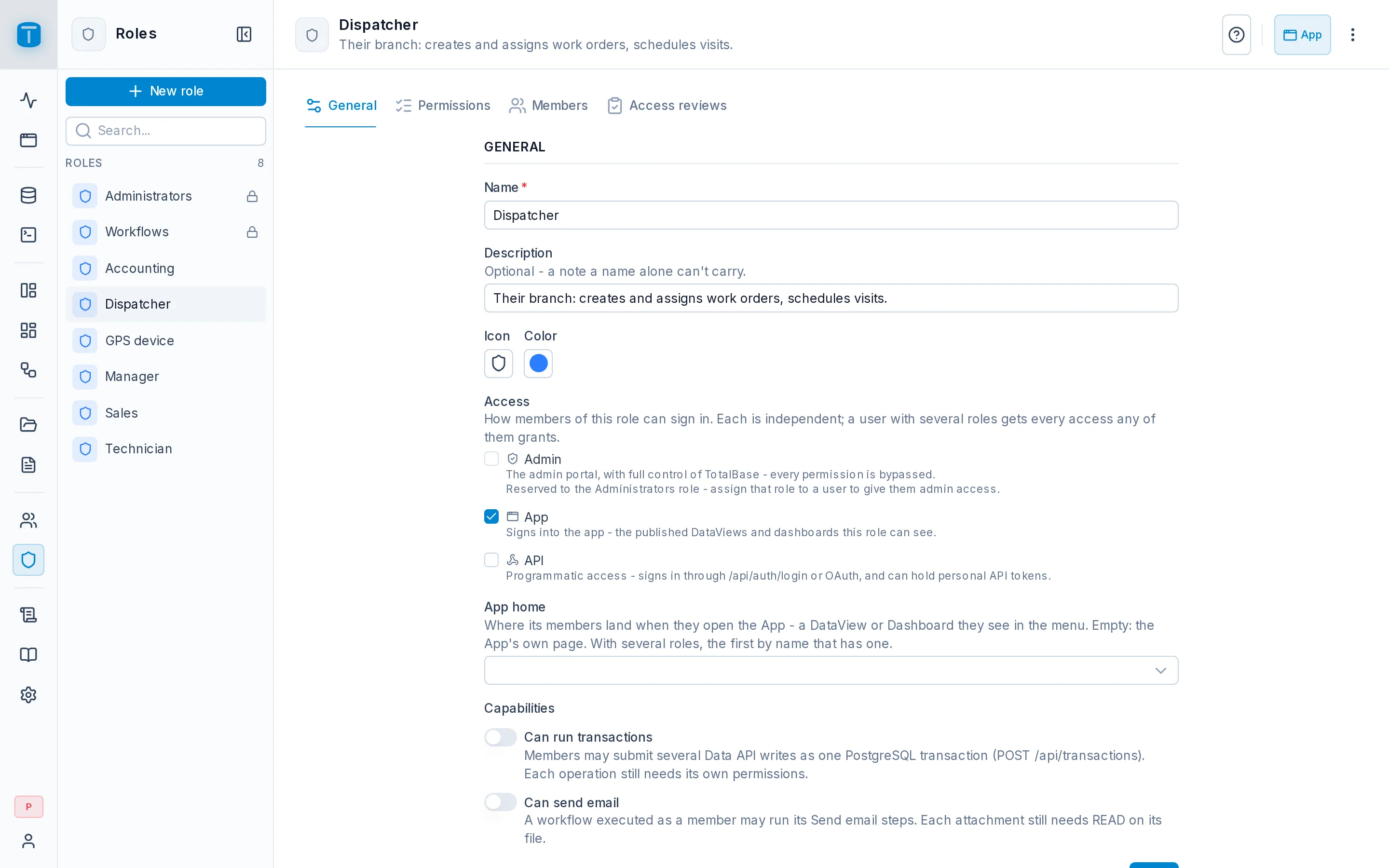
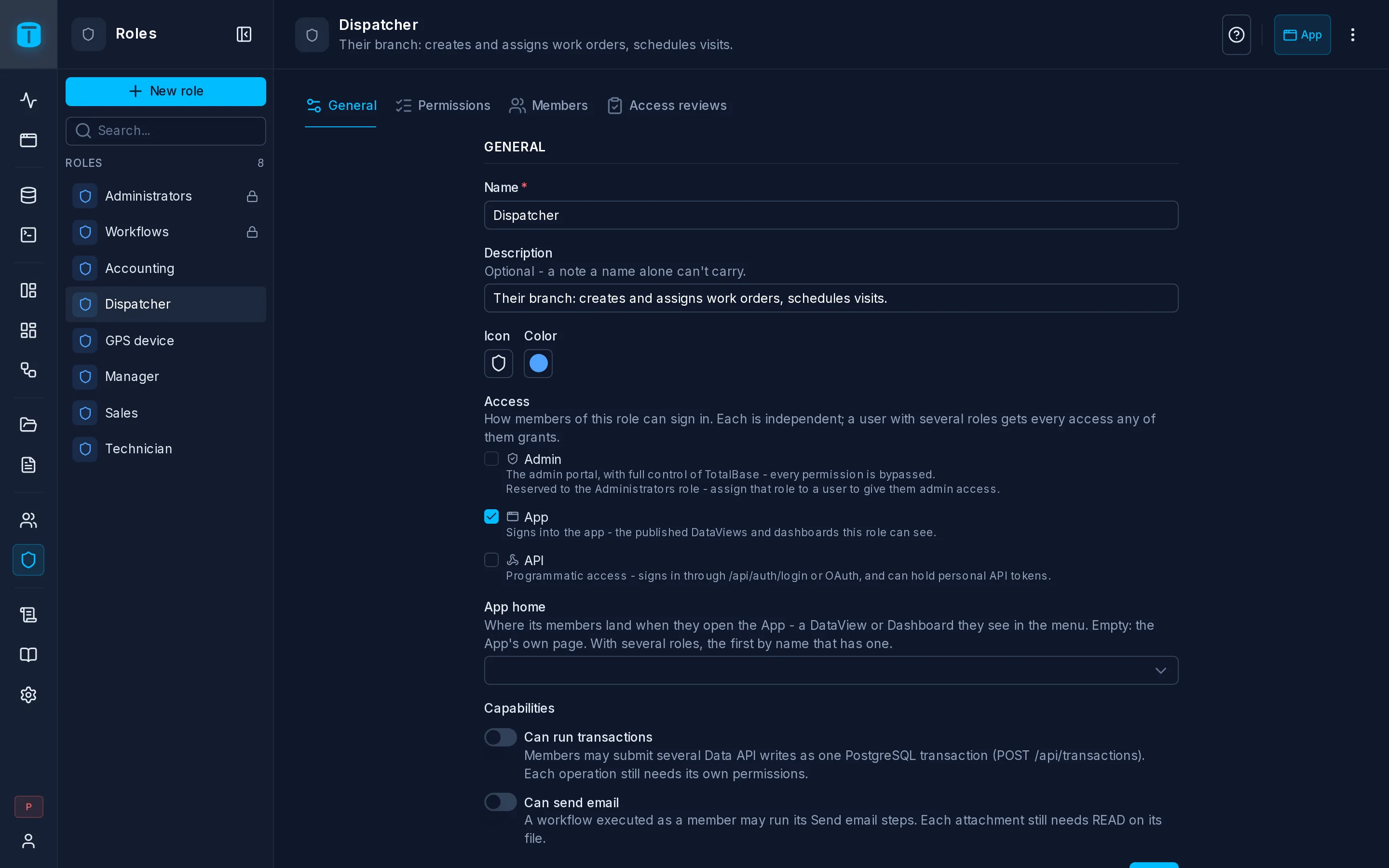
A role is a named set of permissions. Acme has these roles:
| Role | Purpose |
|---|---|
| Manager | Reads everything, approves quotes |
| Dispatcher | Creates and assigns work orders for their branch |
| Technician | Works on the orders assigned to them |
| Sales | Manages their own customers and quotes |
| Accounting | Invoices and purchase orders |
| GPS device | Only writes vehicle positions, through a token |
A user can hold several roles, and their permissions combine. A person who is both Dispatcher and Sales sees the orders of their branch and the customers they manage. Only active roles count: deactivate a role and it stops granting anything until you activate it again.
Access flags
Besides its permissions, each role has switches that decide where its members may sign in:
| Flag | Lets members | Default on a new role |
|---|---|---|
| App access | sign in to the portal and use the App | on |
| API access | obtain credentials for the Data API: sign in through /api/auth/login, create personal access tokens | off |
A user gets a flag if any of their active roles has it. Acme's Technicians have App access only, and they work from the App on their phones. The GPS device's role has API access only.
A new role starts empty
A new role can do nothing: no permissions, no DataViews, no dashboards. Everything is granted explicitly. Apply default permissions (on the role's page, or a checkbox when you create it) gives a role what an ordinary App user needs on TotalBase's own tables: reading their own account and activity, uploading files, and signing out their own sessions. It never touches your tables.
Administrators
Administrators is a reserved role, created when the instance is installed. Its members:
- see and configure everything in the admin, and use the Admin API;
- bypass data permissions: no row filters, no field restrictions, no payload checks. The rules in PostgreSQL still apply to them.
Several users can hold it, all with the same power. One of them is the instance owner, the account created on the first start. The owner can't be deleted or deactivated and never loses the Administrators role, so the instance always has at least one administrator.
There is one more reserved role, Workflows. By default, workflows run as its system user, which can't sign in.
Sessions and tokens carry no roles
A session or a token only identifies its user. Roles and permissions are read again from the database on every request. When you remove a role from a user, every session and token that user holds loses it on the next request. You don't need to revoke anything.
Next steps
- Permissions: what roles are allowed to do.
- Managing users: inviting people, assigning roles.
- API tokens.