

Row Filters
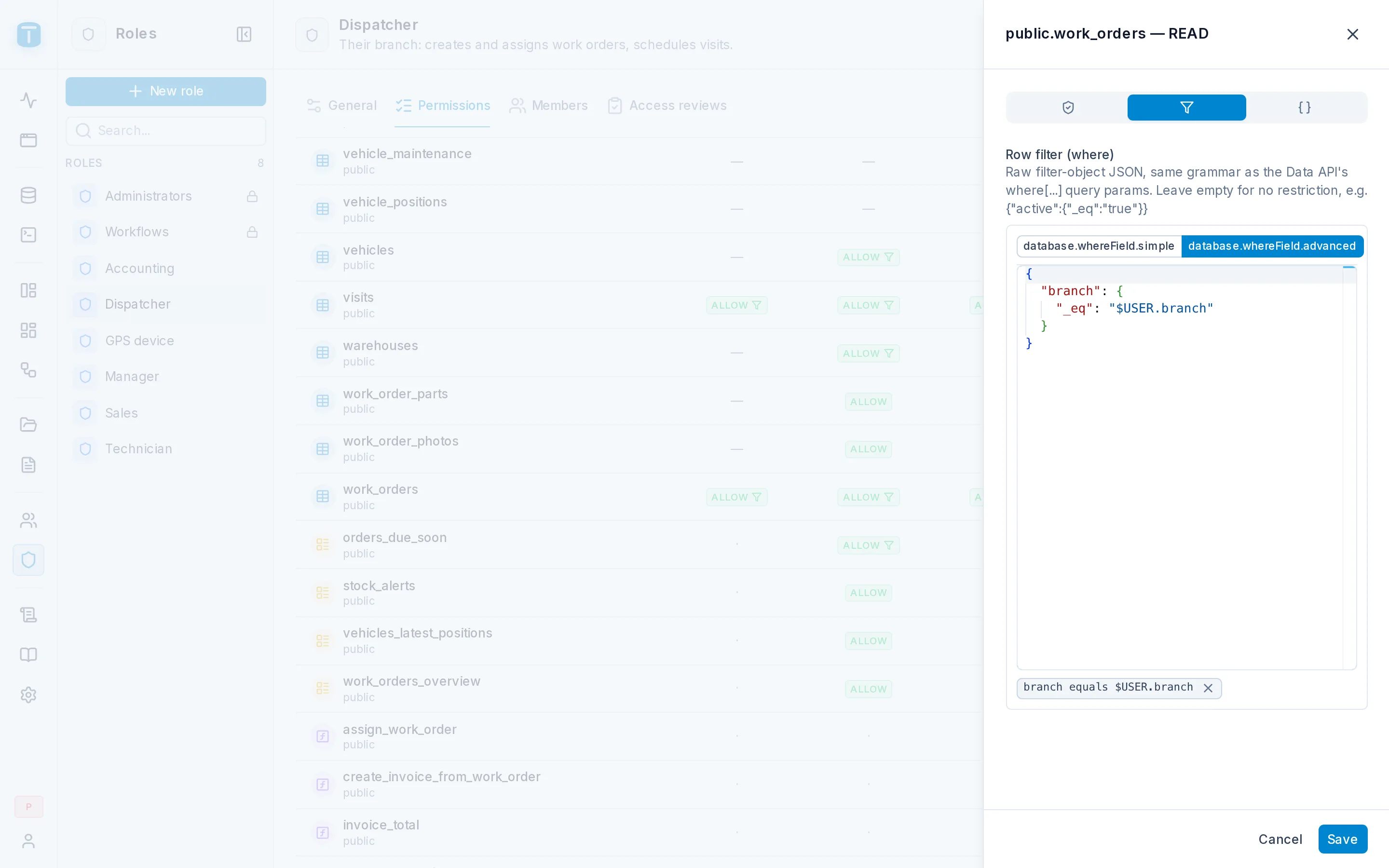
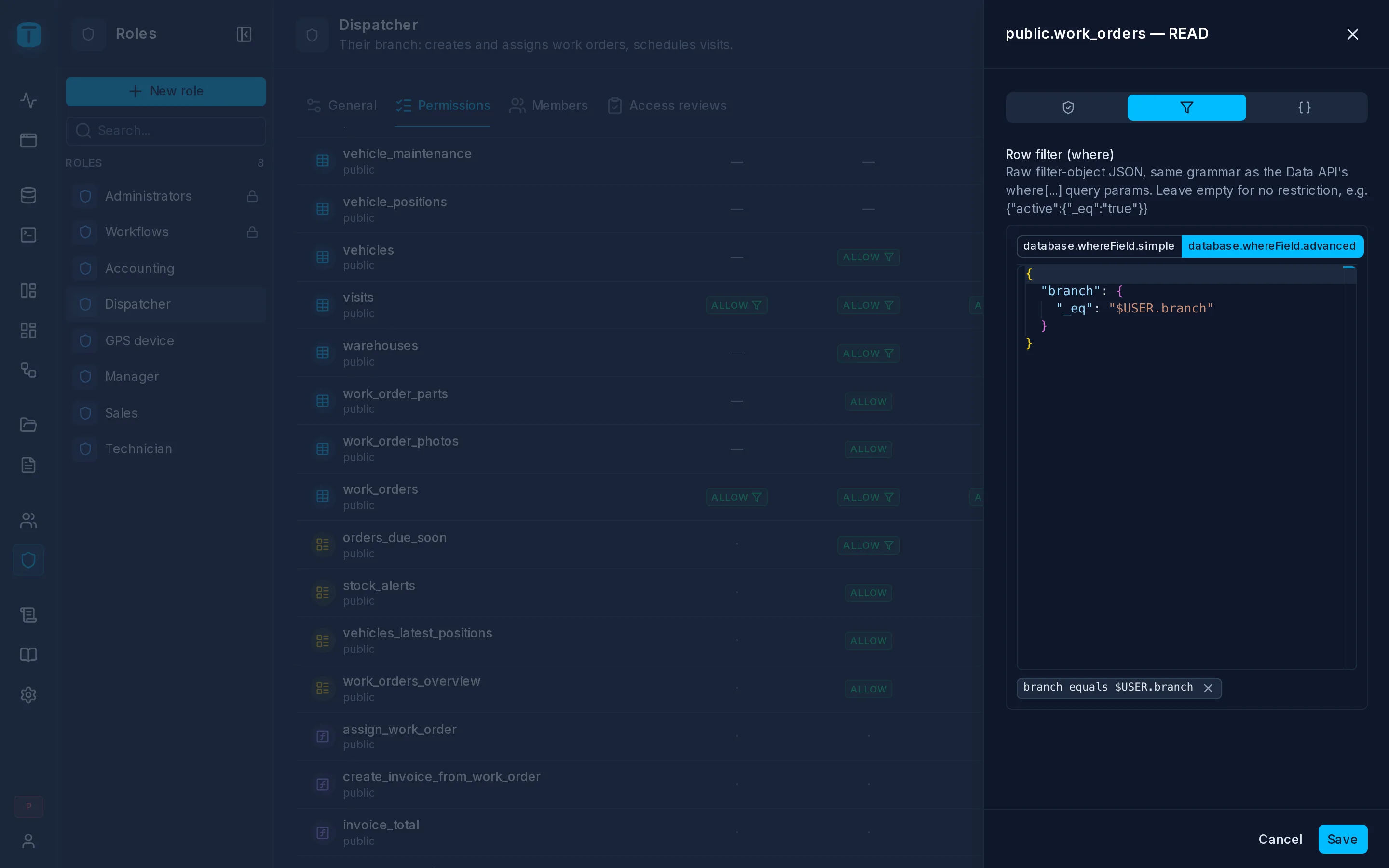
In the admin: Roles › a role › Permissions › a cell › Row filter
A row filter limits a grant to the rows that match it. It uses the same filter syntax as a request's where, written as JSON, and PostgreSQL evaluates it as part of every query and write the grant covers.
Writing one
Open a grant in the role's permission matrix and its Row filter tab. Build the filter with the condition builder, or write the JSON directly:
{ "branch": { "_eq": "$USER.branch" } }
A grant without a filter covers every row.
The user's own fields: $USER
$USER.<column> is a column of the current user's row in totalbase.users, read fresh on every request. That includes columns you add yourself, which is what makes per-user rules short:
| Role | Resource | Filter |
|---|---|---|
| Dispatcher | work_orders | { "branch": { "_eq": "$USER.branch" } } |
| Technician | work_orders | { "technician.user": { "_eq": "$USER.id" } } |
| Sales | customers | { "account_manager": { "_eq": "$USER.id" } } |
| Technician | vehicles | { "technician.user": { "_eq": "$USER.id" } } |
Because $USER is read on every request, moving a dispatcher to another branch changes what they see on their next click. Nothing about the user is stored in their session or token. A personal access token reads its owner's row.
Following relations
A filter can follow foreign keys with dotted paths: technician.user, site.branch, work_order.branch. Acme's Dispatchers see the visits of their branch's orders:
{ "work_order.branch": { "_eq": "$USER.branch" } }
Fields named in a filter don't need to be granted as fields. The filter is the administrator's rule, not something the user reads. They can't be password or other protected columns, though.
Operators and combinations
A condition is { "<field>": { "<operator>": "<value>" } }. The field is a column or a dotted path through foreign keys. The operators are the Data API's own, so a filter you can write in a request's where works here too, and PostgreSQL evaluates it.
Values
A value is a string, a number or a boolean: "2026-10-01", 20, true ("20" and "true" work the same). TotalBase converts it to the column's type: true or false for a boolean, a number for a numeric column. Anything else is passed to PostgreSQL, which casts it the way it casts any literal. _in, _nin and _between take a list, or the same values as comma-separated text:
{ "discount_pct": { "_lte": 20 } }            ✓
{ "status": { "_in": ["NEW", "ASSIGNED"] } }  ✓
{ "status": { "_in": "NEW,ASSIGNED" } }       ✓
{ "status": { "_eq": ["NEW"] } }              ✗  INVALID_QUERY - a list only for _in, _nin, _between
{ "status": { "_in": [] } }                   ✗  INVALID_QUERY
A value that doesn't fit the column fails when the filter is used: "abc" for a number is 400 INVALID_TYPE, and "yesterday-ish" for a date is PostgreSQL's 400 INVALID_TEXT_REPRESENTATION.
Comparison
| Operator | SQL | Matches rows where the field… | Example |
|---|---|---|---|
_eq | = | equals the value | { "branch": { "_eq": "$USER.branch" } } |
_neq | <> | differs from the value | { "status": { "_neq": "CANCELLED" } } |
_gt | > | is greater than the value | { "quantity": { "_gt": "0" } } |
_gte | >= | is greater than or equal to the value | { "reported_at": { "_gte": "$INTERVAL.30d" } } |
_lt | < | is less than the value | { "due_at": { "_lt": "$CURRENT_TIMESTAMP" } } |
_lte | <= | is less than or equal to the value | { "discount_pct": { "_lte": "20" } } |
These work on numbers, text (alphabetical order, by the column's collation), dates and times, uuids and booleans. The value can be a variable: $USER.*, $ROW.<column>, $CURRENT_DATE, $INTERVAL.*, $PERIOD.*.
Text patterns
| Operator | SQL | Matches rows where the field… | Example |
|---|---|---|---|
_like | LIKE | matches a pattern, case-sensitive | { "sku": { "_like": "HV-%" } } |
_ilike | ILIKE | matches a pattern, ignoring case | { "name": { "_ilike": "%salta%" } } |
_regex | ~ | matches a POSIX regular expression, case-sensitive | { "plate": { "_regex": "^A[A-Z]" } } |
In _like and _ilike, % stands for any run of characters and _ for exactly one. Without a %, the pattern must match the whole value: "_ilike": "salta" matches only "Salta", not "Salta Norte". _regex matches anywhere in the value unless you anchor it with ^ and $. Add (?i) at the start to ignore case.
Lists and ranges
| Operator | SQL | Matches rows where the field… | Example |
|---|---|---|---|
_in | = ANY(array) | is one of the listed values | { "status": { "_in": "NEW,ASSIGNED,IN_PROGRESS" } } |
_nin | <> ALL(array) | is none of the listed values | { "priority": { "_nin": "LOW,NORMAL" } } |
_between | BETWEEN a AND b | lies between two values, both ends included | { "reported_at": { "_between": "$PERIOD.last_month.from,$PERIOD.last_month.to" } } |
_inand_nintake a list, or one string with the values separated by commas; a value that itself contains a comma needs the list. The list is sent to PostgreSQL as a single array, so it can be as long as you need. Inside the list, only literal values and$USER.*are accepted.$ROW,$INTERVALand$PERIODaren't._betweentakes exactly two values, a list or comma-separated. Both ends count. For a period, where the end belongs to the next period,_gteon.fromand_lton.tois the exact form._betweenalso includes the first instant of the next period.
Empty values
| Operator | SQL | Matches rows where the field… | Example |
|---|---|---|---|
_null | IS NULL | has no value | { "technician": { "_null": true } } |
_nnull | IS NOT NULL | has a value | { "customer_signature": { "_nnull": true } } |
These take no value. Write true by convention; whatever you write is ignored. To match "empty", _eq doesn't work, because in SQL nothing equals NULL. Use _null.
NULL as equal or different to anything, so { "status": { "_neq": "CANCELLED" } } leaves out rows where status is empty, and so do _nin, _lt and the rest. When empty values should pass, say so:
{ "_or": [ { "status": { "_neq": "CANCELLED" } }, { "status": { "_null": true } } ] }.Arrays and JSON
| Operator | SQL | Matches rows where the field… | Example |
|---|---|---|---|
_contains | @> | contains every element of the value | { "skills": { "_contains": "{HVAC,ELECTRICAL}" } } |
_contained_by | <@ | has only elements that are in the value | { "skills": { "_contained_by": "{HVAC,SOLAR}" } } |
_overlap | && | shares at least one element with the value (arrays only) | { "skills": { "_overlap": "{SOLAR,ELECTRICAL}" } } |
For an array column (text[], integer[]), write the value as a PostgreSQL array literal: {HVAC,SOLAR}. For a jsonb column, write JSON text: { "metadata": { "_contains": "{\"plan\":\"PREMIUM\"}" } } matches rows whose metadata holds that key and value. _overlap doesn't apply to jsonb.
Combining conditions
| Operator | Takes | Matches rows where… |
|---|---|---|
| (sibling conditions) | an object | all the conditions hold (AND) |
_and | an array of filters | all the filters hold |
_or | an array of filters | at least one filter holds |
_not | a filter, or an array of filters | the filter does not hold (an array is combined with AND first) |
Two conditions in the same object are an AND, and so are two operators on the same field: { "quantity": { "_gt": "0", "_lte": "50" } }. Use _and when the same field appears in separate conditions, or to group inside an _or.
_not turns a filter around: technicians don't see cancelled orders, whatever else their filter allows:
{ "_and": [
  { "technician.user": { "_eq": "$USER.id" } },
  { "_not": { "status": { "_eq": "CANCELLED" } } }
] }
Filters can nest up to api.max_filter_depth levels.
Sales see their own customers, plus prospects nobody has claimed yet:
{ "_or": [
  { "account_manager": { "_eq": "$USER.id" } },
  { "_and": [ { "status": { "_eq": "PROSPECT" } }, { "account_manager": { "_null": true } } ] }
] }
Time and other variables
| Variable | Means |
|---|---|
$CURRENT_DATE, $CURRENT_TIMESTAMP, $CURRENT_TIME | PostgreSQL's current date and time |
$INTERVAL.7d | seven days ago (s, m, h, d, w, y) |
$PERIOD.this_month.from / .to | the start and end of a calendar period: today, this_week, last_month, this_quarter, this_year, … |
$ROW.<column> | another column of the same row |
Technicians see their own visits from the last 30 days onward, and nothing older:
{ "_and": [
  { "technician.user": { "_eq": "$USER.id" } },
  { "scheduled_start": { "_gte": "$INTERVAL.30d" } }
] }
Periods are calculated by PostgreSQL in the user's time zone, so "today" starts at midnight where the user is.
How filters combine
- OR across roles. A user who is Dispatcher and Technician sees their branch's orders plus the orders assigned to them. If any of their roles allows the action without a filter, they see every row.
- AND with the request. A request's
wherecan only narrow what the filter allows. - A DENY ignores filters. A denied action is denied for every row.
Filters on writes
For writes, the filter decides which rows may be touched, and which rows may result:
| Action | Filter checked on |
|---|---|
CREATE | the new row |
UPDATE | the row before and the row after |
DELETE | the row before |
A filter that follows relations works the same on writes: a technician whose filter is technician.user updates only their own orders, and adds parts only to them (work_order.technician.user). A Salta dispatcher can't create an order for Jujuy, and can't move a Salta order to Jujuy. The second case fails on the row after, with 403 ACTION_DENIED, and nothing is written. PostgreSQL checks the row as it will be stored, after defaults and triggers have run.
What a caller sees
A row outside the filter doesn't exist for that caller. Lists leave it out, count doesn't count it, and reading it by key returns 404 ROW_NOT_FOUND.
What PostgreSQL runs
A row filter becomes part of the SQL itself, so PostgreSQL applies it. A Dispatcher's filter, { "branch": { "_eq": "$USER.branch" } }, on a read and on an update of an order:
-- A read: the request's own where, AND the role's filter.
SELECT … FROM "public"."work_orders" AS t0
WHERE (t0."status" = $1 AND t0."priority" = $2) AND t0."branch" = $3;    -- $3 = the user's branch, read when the request arrives

-- An update: the old row must pass the filter to be touched, and the new row to be kept.
WITH old_rows AS (SELECT … FROM "public"."work_orders" AS t0 WHERE t0."id" = $3 AND t0."branch" = $4 FOR UPDATE OF t0),
     upd AS (UPDATE "public"."work_orders" AS t0 SET "status" = $1, "technician" = $2 FROM old_rows WHERE … RETURNING …)
SELECT *, (upd."branch" = $5) AS __authorized FROM upd;               -- false: 403 ACTION_DENIED, rolled back
Reading and Writing show the whole statements.
Next steps
- Payload checks: rules on the values a role writes.
- Filtering: the full syntax.