

Code
In the admin: Design form › Code
Code is the page's JavaScript: plain functions that run when something happens, such as a button's click, a record's save, or a Resource loading. Widgets and variables emit events, and each event is wired to a function here.
Code is for the flow of a page: confirm, save, run a function, open the result, start the next one. Rules about data belong in PostgreSQL, where they apply to every writer.
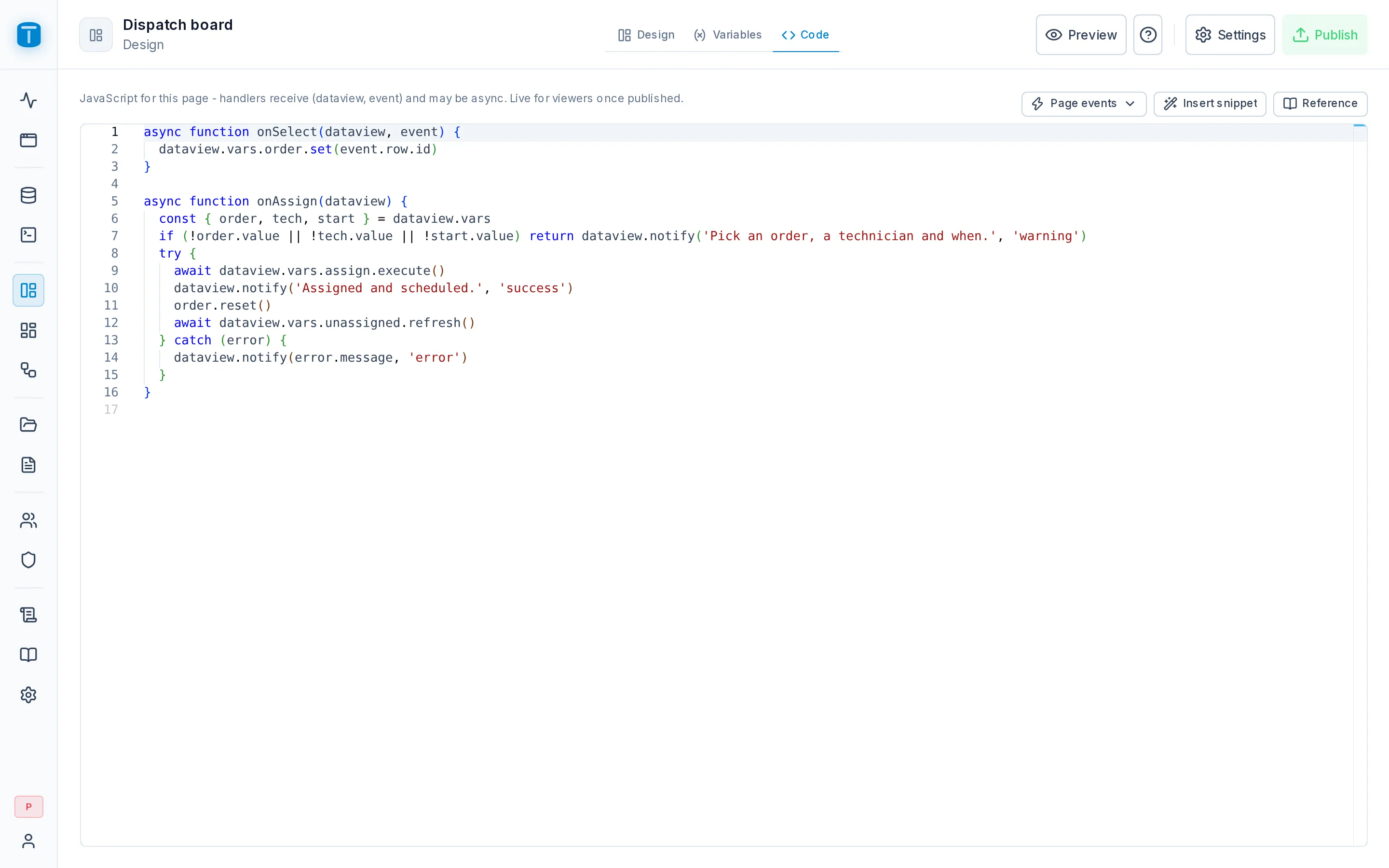
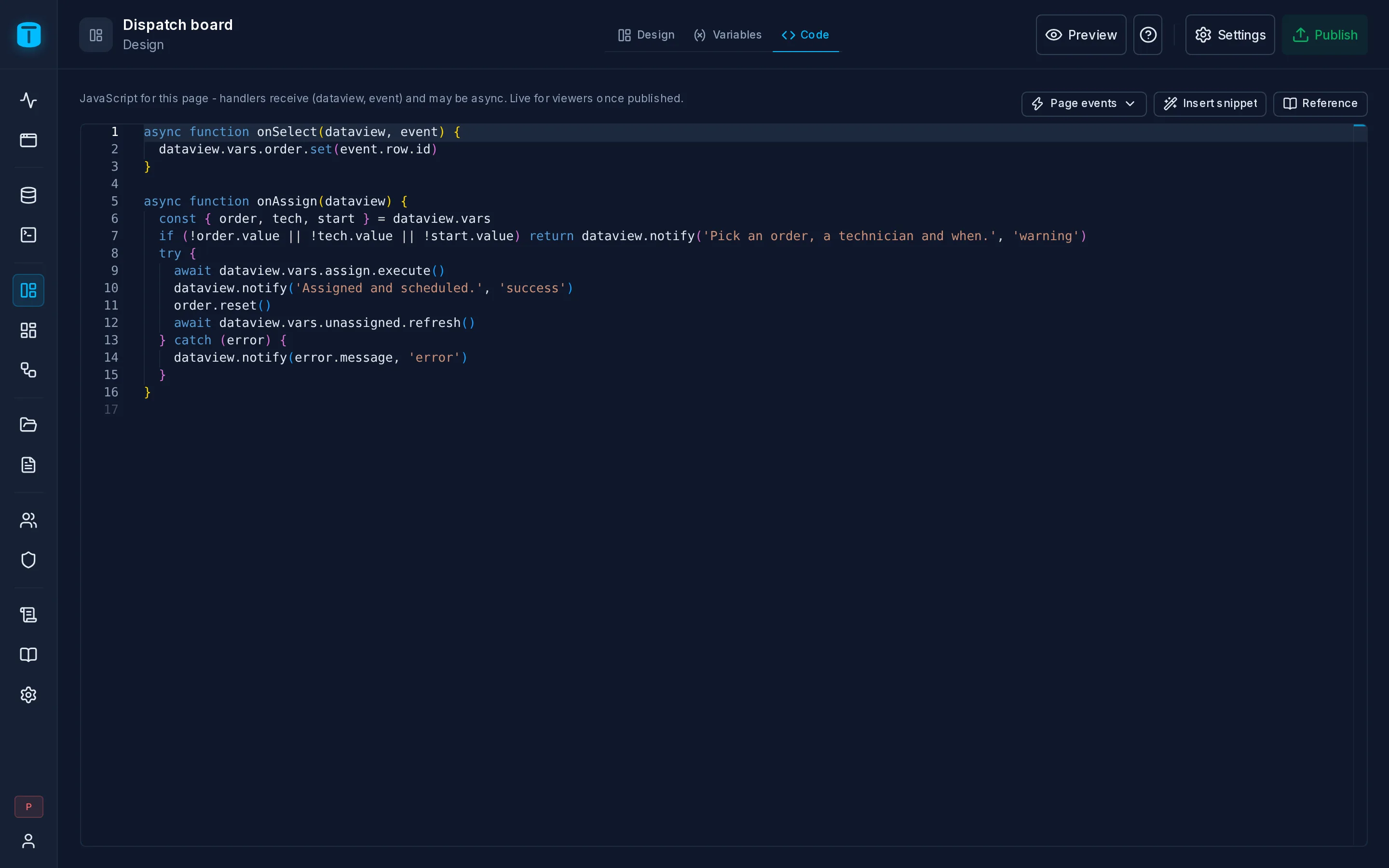
A handler
A handler receives dataview and the event, and can be async:
// Button "Assign" - click
async function onAssignClick(dataview) {
  const { selectedOrder, technician, assign, unassigned } = dataview.vars
  if (!selectedOrder.value || !technician.value) {
    dataview.notify('Pick an order and a technician first', 'warning')
    return
  }
  try {
    await assign.execute()
    dataview.notify('Order assigned', 'success')
    selectedOrder.reset()
    unassigned.refresh()      // the table bound to it updates by itself
  } catch (error) {
    dataview.notify(`Could not assign: ${error.message}`, 'error')
  }
}
To wire it, pick the function in the widget's Events tab, or use Create handler there to write it.
If a handler throws, the user sees name: message and the page keeps working. A syntax error shows at the top of the page.
Page events
The toolbar's Page events jumps to, or creates, the functions the page itself calls:
| Function | Runs |
|---|---|
onLoad | after the record and the Resources that load at once have loaded |
the record's load | when a record opens |
the record's before:save | before a save; return false to cancel it |
the record's save | after a successful save |
Each generated function starts with a comment saying when it runs, what it receives and what its return value does.
What dataview holds
| Member | |
|---|---|
vars.<name> | the variables, vars.record included |
controls.<name> | named widgets: their state (value, item) and methods (open(), focus(), clear()) |
params | the page's address parameters |
notify(message, color?) | a message at the corner of the screen |
confirm(question) | the page's own dialog; true when confirmed |
format.number(v, decimals), .currency(v, code), .date(v), .time(v), .datetime(v) | with the instance's formats and time zone |
openDataView(slug, params?, { newTab }) | opens another DataView, a record by { pk } |
openFile(result) | shows a file a Call returned, such as a PDF, to print or download |
device.location() | the device's position, { lng, lat, accuracy } |
Reference, in the toolbar, lists all of them with an example to insert.
Errors from the API reach your code: a rejected execute() or save() carries the API's message, such as a CHECK's or a function's RAISE EXCEPTION.
Snippets
A snippet asks two or three questions and writes plain code: nothing hidden runs at run time, and you can change what it wrote. Create handler offers them for a new function; Insert snippet puts one at the cursor. Each shows the code before writing it.
| Group | Snippets |
|---|---|
| Data | Run a workflow or function · Refresh data · Filter a Resource by a value · Search a Resource · Use the selected row · Set a variable |
| Record | Save the record (then stay, new or close) · A record action (new, undo, delete, clone, reread) · Set a column of the record |
| Controls | Submit a form · Open or close a modal or slideover · Clear a form's errors · Focus an input |
| Navigation | Open a link · Open another DataView |
| Feedback | Ask for confirmation, then… · Copy to the clipboard · Show a notification |
A worked example: issue an invoice
Acme's Quotes Master-detail ends with a button that saves the quote, issues its invoice with a function, opens the PDF and starts the next quote:
async function onIssueClick(dataview) {
  const { record, issue } = dataview.vars
  const total = dataview.format.currency(record.data.total, 'ARS')

  if (!await dataview.confirm(`Total: ${total}\nIssue the invoice?`)) return
  if (!await record.save()) return          // PostgreSQL said no: the form shows why

  try {
    const pdf = await issue.execute({ data: { p_quote: record.pk } })
    dataview.openFile(pdf)
    record.new()
  } catch (error) {
    dataview.notify(`Could not issue it: ${error.message}. The quote is saved.`, 'error')
  }
}
Confirming first, keeping the quote when issuing fails and starting the next one are readable lines anyone can change, not options of a special button.
Code isn't security
Code runs in the user's browser. It decides what the page does, not what the user may do: every read and write still goes through the Data API with the user's permissions. A check that must hold belongs in PostgreSQL, as a CHECK, a trigger or a function, or in a role's payload checks.
Next steps
- Formulas: computed values without code.