

Creating a Role
In the admin: Roles › New role · a role › General
A role is what you give people: Acme's Dispatcher, Technician, Sales, Accounting. A user gets the union of everything their roles allow. See Users and roles for the model.
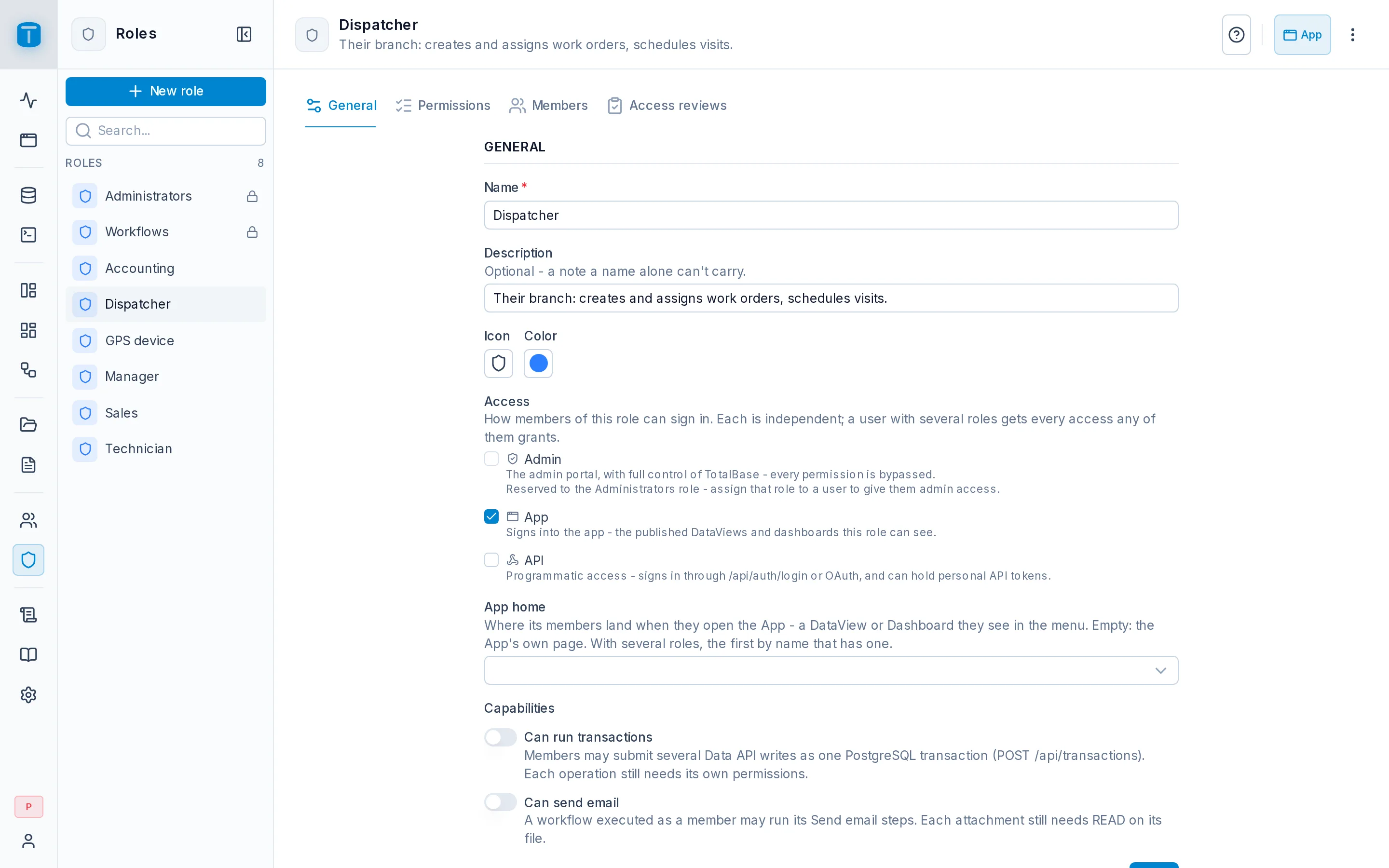
Roles in the rail lists every role, with a search box and New role. A role's page has four sections: General, Permissions, Members and Access reviews. Its ⋮ deactivates or deletes it.
General
New role and a role's General section hold the same fields:
| Field | |
|---|---|
| Name, Description | |
| Icon, Color | how the role shows in lists and badges |
| Access | where its members may sign in (below) |
| App home | the DataView or dashboard its members land on when they open the App; empty, the App's own page |
| Capabilities | Can run transactions and Can send email (below) |
Access
| Access | |
|---|---|
| Admin | the admin itself. Reserved to the Administrators role, which bypasses every permission |
| App | signs into the App, to use published DataViews and dashboards |
| API | programmatic access: signs in through /api/auth/login or a provider, and may hold personal API tokens |
With no access, members can't sign in through this role: its permissions only apply alongside another role that grants access. Acme's Dispatcher has App; the GPS device role has only API.
Capabilities
- Can run transactions: members may use
POST /api/transactions, several writes in one PostgreSQL transaction. See Transactions. - Can send email: a workflow executed as a member may run its Send email steps. Each attachment still needs
READon its file. Administrators don't need it.
App home
Acme sets My work as the Technician role's home and the Work orders kanban as the Dispatcher's. A user with several roles lands on the first home among their roles, by role name, that they can open. See Where the App opens.
Default permissions
A new role starts with no permissions at all: its members can't even read their own profile. Apply default totalbase permissions, checked when creating, and Apply Default Permissions in the Permissions toolbar later, add the usual grants on TotalBase's own tables, such as reading one's own user row, and uploading files while changing and deleting only one's own.
Then grant your own tables: Granting permissions.
Deactivating and deleting
Deactivate switches the role off while keeping it and its members; Activate brings it back. Delete removes it after a confirmation. The Administrators role is reserved: it can't be renamed, changed, deactivated or deleted.